Amazon_Clone
🛒 Amazon Clone – E-Commerce Frontend
A fully functional and responsive Amazon-style e-commerce site built using HTML, CSS, and JavaScript. Developed as part of the SuperSimpleDev course to practice real-world frontend development concepts.
📸 Screenshots
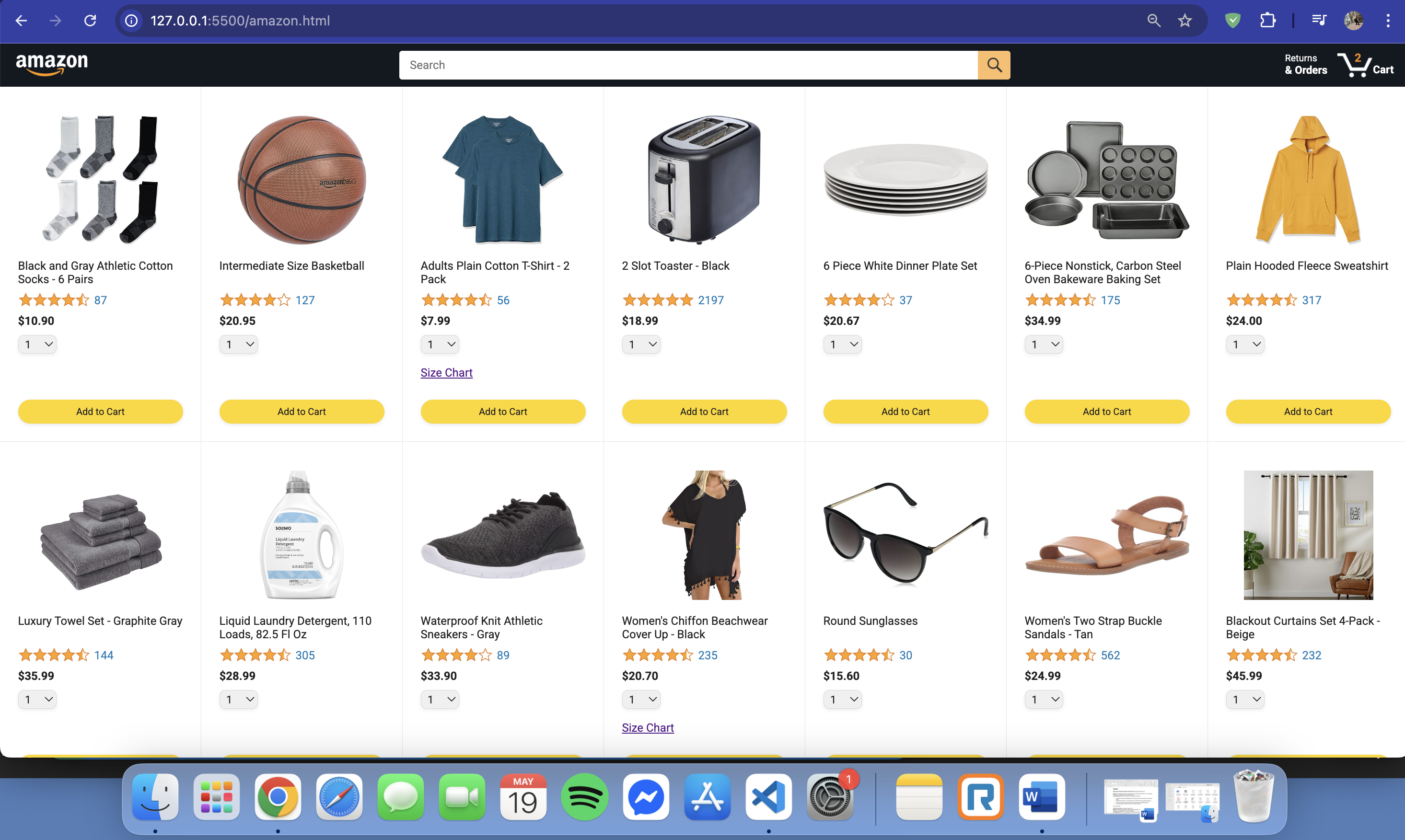
🏠 Homepage
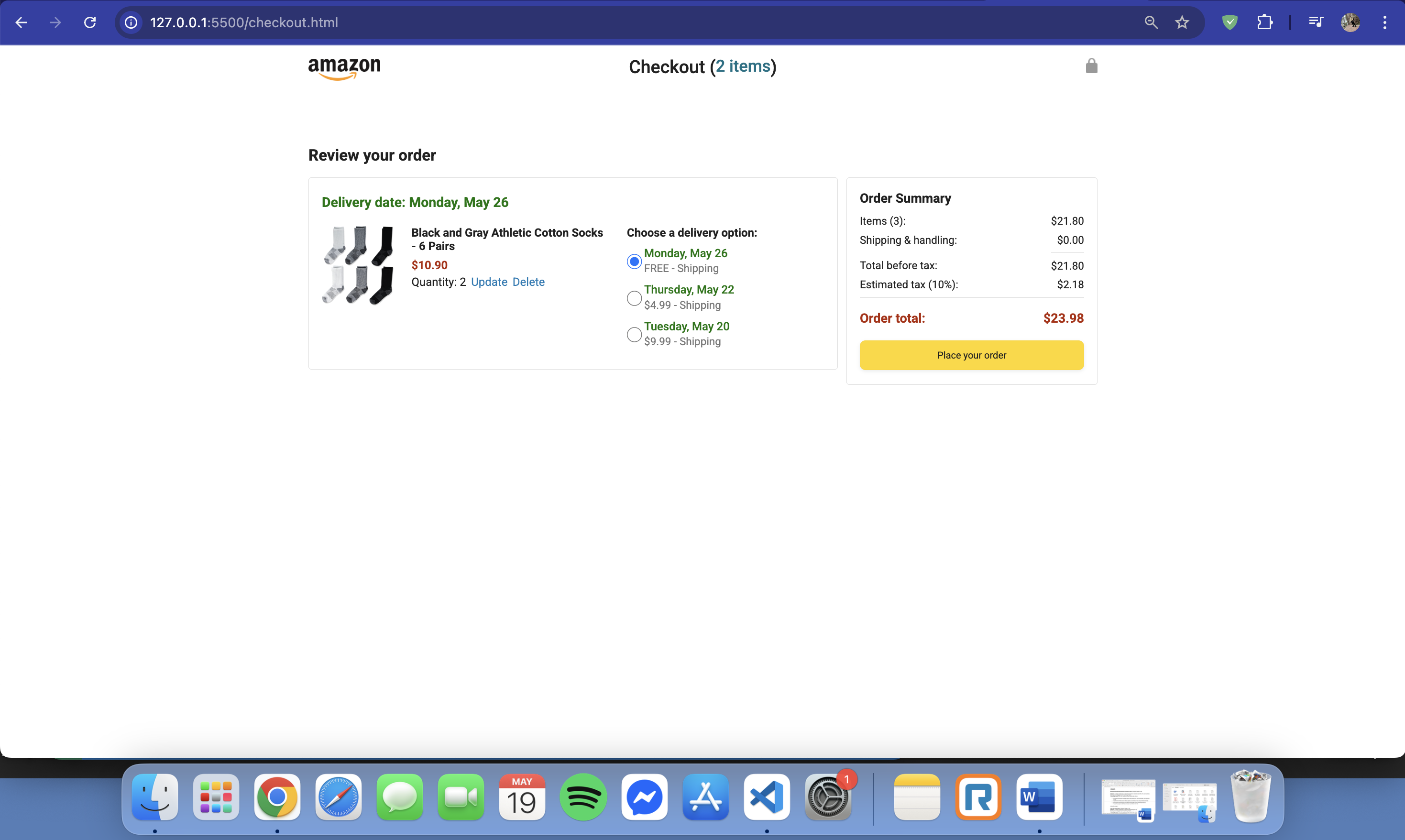
🛒 Checkout Page
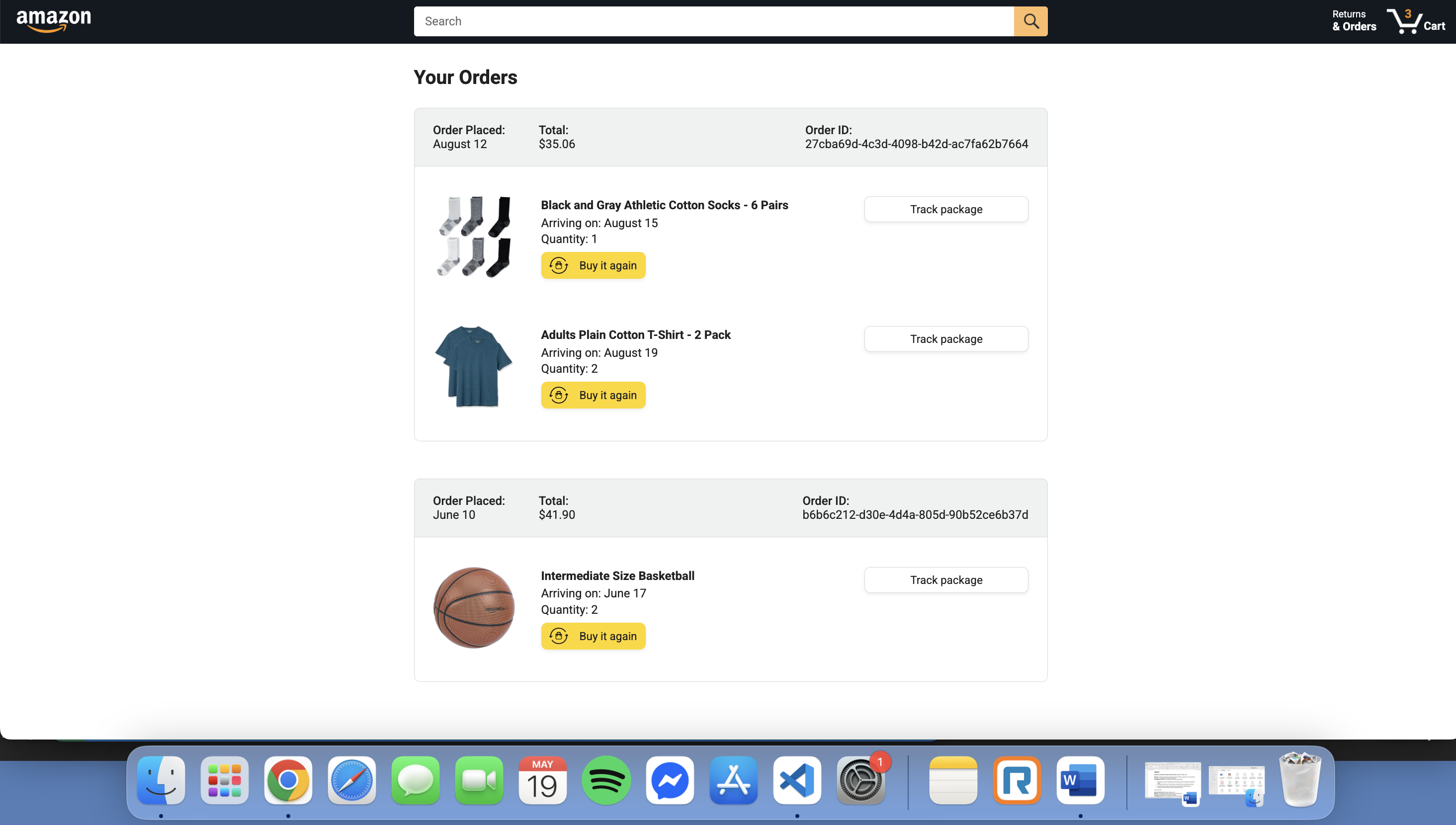
📦 Orders
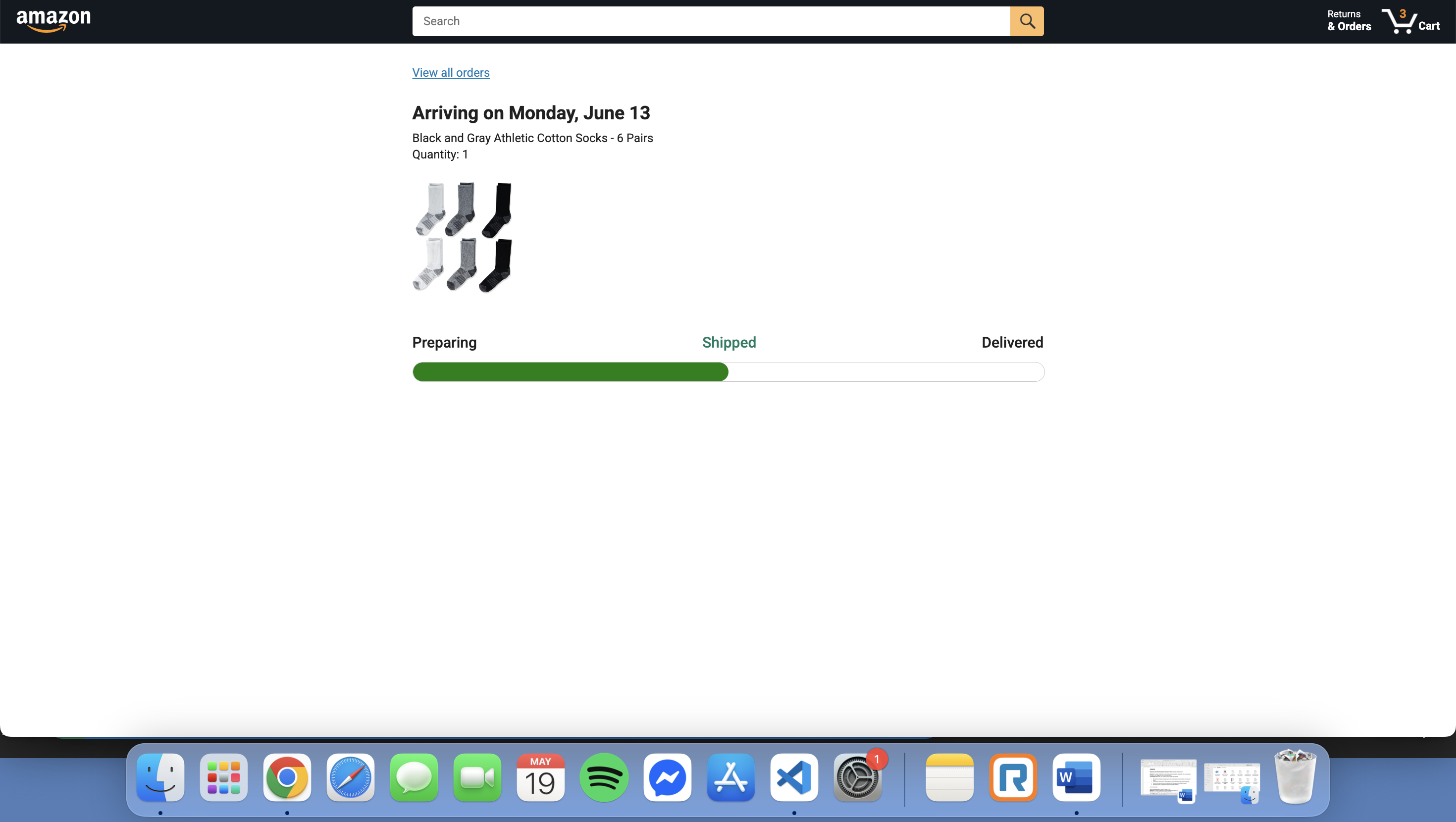
🚚 Delivery Tracking
✨ Features
- Dynamic product listing with API integration
- Add to Cart with quantity selection
- Checkout with delivery options
- Real-time cart update in header
- Order history and delivery status UI
- Mobile responsive layout
- Modular JavaScript and reusable components
🛠 Tech Stack
- HTML5
- CSS3 (Flexbox, Grid)
- JavaScript (ES6 Modules)
- Git & GitHub
- GitHub Pages
- VS Code
🎓 What I Learned
- DOM manipulation with
querySelector,addEventListener, etc. - Working with JSON data and remote APIs (
fetch,XMLHttpRequest) - Using OOP in JavaScript to structure products as classes
- Building multi-page apps with localStorage to persist data
- Responsive design techniques using media queries
- Creating clean, animated UI components with CSS
- Fixing path issues for GitHub Pages deployment
- Git commands:
init,add,commit,push,pull,rebase - Project organization, file naming conventions, and modularity
- Debugging common frontend issues (404s, JS errors)
📂 Folder Structure
Amazon_Clone/ ├── amazon.html ├── checkout.html ├── orders.html ├── track.html ├── scripts/ │ ├── amazon.js │ ├── checkout.js │ └── data/ ├── styles/ │ ├── shared/ │ └── pages/ ├── images/ │ └── screenshots/ └── README.md
yaml Copy Edit
🧪 How to Run Locally
- Clone the repo: ```bash git clone https://github.com/SAUGAT2060/Amazon_Clone.git Open the project folder.
Launch amazon.html using Live Server or open it in your browser.
🙏 Credits Inspired by the SuperSimpleDev Amazon Project
Built and enhanced by Saugat Rana
👨💻 Author Saugat Rana 📍 Toronto, ON 🔗 LinkedIn 🐙 GitHub